
Public WiFi Security 2026: How to Stay Safe While Traveling (VPN Guide for Travelers)
I still get a cold shiver thinking about it. I was sitting in a bustling co-working space in Chiang Mai, sipping on an iced latte that cost less than a dollar, feeling like the king of the digital nomad world. My hostel had terrible WiFi, so I’d planted myself in this trendy café to hammer out a deadline. I logged into my bank account to transfer money for a scooter rental, checked my email, and booked a flight to Bali for the following week. Easy, right? A month later, my credit card was used to buy a very expensive handbag in Paris. I was still in Southeast Asia, sweating through my shirt. The common denominator? That seemingly innocent public WiFi network. The lesson was brutal, but it fundamentally changed how I view hotel WiFi security and connectivity on the road. If you’re traveling in 2026, the threats on public networks aren’t just lurking; they’re evolving. Let’s talk about how to keep your digital life locked up tight while you’re out unlocking the world.
Why Public WiFi is Still a Minefield in 2026
You might think that in a world of 5G and satellite internet, the dangers of public WiFi would be a relic of the past. Unfortunately, the opposite is true. As our defenses get smarter, so do the attackers. The sheer volume of travelers connecting to hotel, airport, and café networks has skyrocketed, creating a massive pool of potential victims. According to a 2026 cybersecurity report, attacks on travelers via rogue hotspots increased by nearly 40% year-over-year, and 2026 is tracking even higher. We’re no longer just talking about the spotty, unencrypted networks of old; we’re talking about sophisticated “Evil Twin” attacks where a hacker sets up a WiFi network named “Guest_WiFi_Free” that looks exactly like the official one. You connect, you type in your password, and they harvest everything. The real kicker? When you’re booking that last-minute hotel on a platform like Trip.com or checking your loyalty points with Accor Plus, you’re transmitting a treasure trove of personal and financial data that a hacker would love to intercept.
The Traveler’s VPN: Your Non-Negotiable Digital Padlock
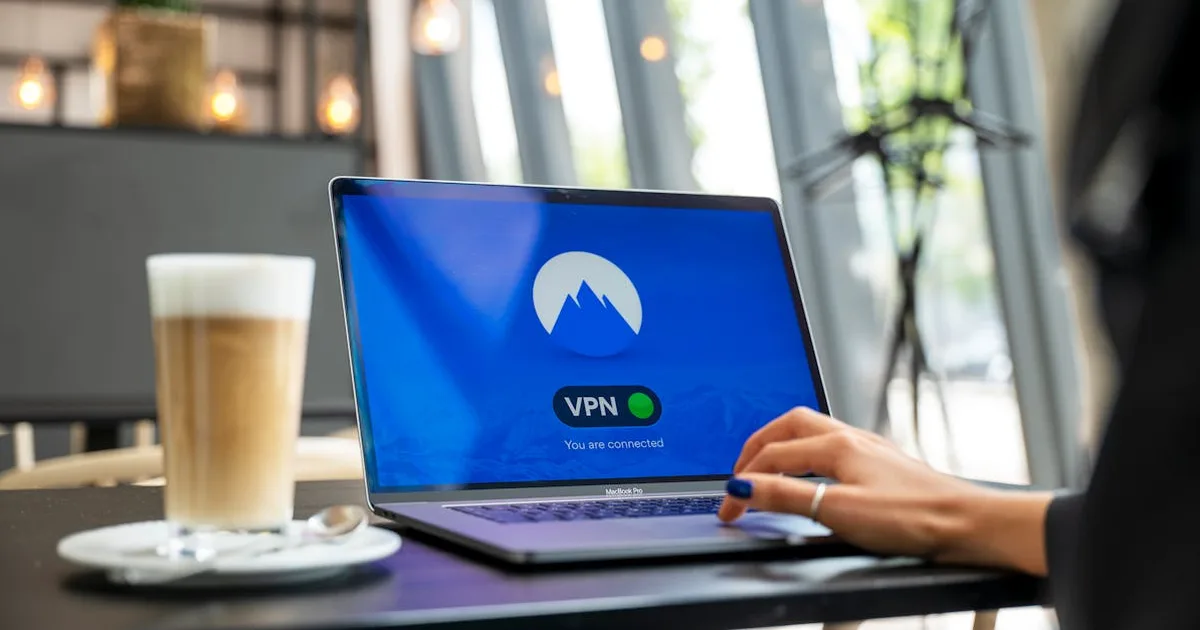
If you take away one piece of advice from this post, let it be this: a VPN is no longer optional. It is the single most effective tool for travel vpn safety. Think of it as an encrypted tunnel for your data. Even if a hacker is snooping on the network, all they see is a scrambled, unreadable stream of nonsense. I learned this the hard way after my Chiang Mai incident. Now, I don’t connect to any network—hotel, airport, or even a friend’s—without first flipping the switch on my VPN. The peace of mind is worth every penny. I’ve tested dozens over the years, and for my money, the gold standard for speed, security, and global server coverage is NordVPN. It runs seamlessly in the background on my phone and laptop, automatically securing my connection the moment I join an untrusted network. When I’m hunting for a flight deal on Trip.com or managing a hotel reservation through IHG, that little green lock icon gives me the confidence to proceed.
Beyond the VPN: A Layered Security Approach for Digital Nomads
A VPN is your digital fortress wall, but even a fortress needs guards. Relying on a single line of defense is a recipe for disaster. Here’s how I layer my security to protect data abroad in 2026:
- Kill the Auto-Connect: The first thing I do on any new device is disable the “auto-join” feature for WiFi networks. Your phone pinging for known networks is like shouting your home network’s name in a crowded room. It’s an open invitation for an Evil Twin attack.
- Embrace the eSIM Revolution: This has been a game-changer for me. Instead of relying on dodgy airport WiFi to call a Grab or look up directions, I land with data ready to go. For my recent trip to Japan, I used an eSIM from ESIMJAPAN.com. I was connected the moment the wheels touched the tarmac in Tokyo, bypassing the need for public WiFi entirely. It’s a more secure, private cellular connection that makes you far less vulnerable.
- HTTPS Everywhere, Always: Before you type a single keystroke into a website, glance at the address bar. If it doesn’t start with “https” and show a padlock icon, don’t interact with it. This ensures the communication between your browser and the site is encrypted. Any legitimate booking site, from Accor to Marriott, will have this.
- Two-Factor Authentication (2FA) is Your Best Friend: I know, it’s a tiny bit of friction. But enabling 2FA on your email, banking, and accommodation accounts means that even if a hacker snags your password, they still can’t get in without that second code from your phone. Do it now. Right now.
Hotel WiFi Security: The Illusion of Safety
There’s a dangerous psychological trap with hotel WiFi. It feels private. You’re in your room, door locked, and the network often requires a room number and surname. It feels safe. It isn’t. Hotel networks are high-value targets precisely because they host a concentrated group of business travelers and tourists with money. A recent study by a threat intelligence firm found that hospitality was the third-most targeted industry for data breaches last year. The security on these networks is often outdated, and you have no idea who else is connected—the “guest” in room 304 could be running a packet-sniffing operation. I never log into sensitive accounts on hotel WiFi without my VPN active, period. Whether I’m planning my next day’s adventure on TripAdvisor or checking into a loyalty program, the VPN is my first and last line of defense. For an added layer, I often use my phone’s eSIM hotspot for truly sensitive tasks like banking, even when the hotel offers “premium” WiFi.
What to Do If You Think You’ve Been Compromised
Panic is the enemy. If you notice strange logins, unexpected password reset emails, or a suddenly drained bank account, you need to move fast. First, disconnect from the network immediately and switch to a secure cellular connection. Then, from a clean, secure device, start changing passwords for your most critical accounts: email, banking, and payment apps. Contact your bank to freeze affected cards and dispute any fraudulent transactions. Finally, enable a fraud alert on your credit reports. It’s a headache, but a little fast action can prevent a total nightmare. The cost of a VPN and a local eSIM is a fraction of the cost—financial and emotional—of digital theft. For the price of a couple of coffees a month, tools like NordVPN act as your personal bodyguard in the digital world, and a service like a Europe eSIM keeps you off public networks in the first place.
The digital nomad lifestyle is about freedom, not recklessness. The world in 2026 is more connected than ever, which is a beautiful thing. But that connection comes with a shadow. You wouldn’t walk through a crowded market with your passport hanging out of your back pocket. Don’t browse the web on public WiFi with your digital life hanging out, either. A few simple habits, anchored by a rock-solid VPN, will ensure your travel memories are about the places you saw, not the things that were stolen from you while you were looking the other way. Stay safe out there, and keep exploring.
📩 Never Miss a Hotel Deal
One email per week: elite status changes + verified promo codes
No spam. Unsubscribe anytime.